مساحة العمل الذكية للمعماريينThe smart workspace for architects
Boh AI منصة واحدة تجمع أكثر من 16 موديل ذكاء اصطناعي مدرّبة على العمل المعماري: من الفكرة والريندر، إلى المقايسة وضبط التكاليف، وصولاً إلى وكيل ذكي (Boh Agent) يرسم ويبني داخل 3ds Max و AutoCAD و SketchUp نفسها — بالعربية والإنجليزية، وبسعر كل عملية معروف قبل أن تبدأ.
Boh AI is one platform with 16+ AI models trained for architectural work: from concept and rendering, to quantity take-offs and cost control, up to a smart agent (Boh Agent) that draws and builds right inside 3ds Max, AutoCAD and SketchUp — in Arabic and English, with the price of every action known before you start.
من منصة خدمية للمهندسين إلى ذكاء اصطناعي معماري عالميFrom a service platform for engineers to a global architectural AI
بدأت الحكاية عام 2019، حين تأسست منصة 3D Boh لتكون منصة خدمية تقف إلى جانب المهندسين المعماريين في تفاصيل عملهم اليومي. ومن خلال هذا الاحتكاك المباشر بمشكلات المهنة، تبلورت قناعة واضحة: المعماري يقضي وقتاً طويلاً بين أدوات متفرقة — محادثة لطرح سؤال، وأداة صور لفكرة، وبرنامج ريندر، وجدول إكسل للمقايسة، وبرامج الرسم والنمذجة للتنفيذ — ولا تفهم أيٌّ منها مجاله، فيضيع الوقت في الشرح والتصحيح، وقد تأتي النتيجة بعيدة عن قابلية التنفيذ.
The story began in 2019, when 3D Boh was founded as a service platform standing beside architects in the details of their daily work. Working that close to the profession's problems led to a clear conviction: architects spend long hours across scattered tools — a chat for a question, an image tool for an idea, a renderer, a spreadsheet for quantities, drawing and modeling software for execution — and none of them understands the field, so time is lost explaining and correcting, and the result can end up far from buildable.
ومن هنا بدأ العمل على Boh AI عام 2023، بهدف بناء مساحة عمل واحدة مدرّبة على العمل المعماري، تصحب الفكرة من لحظتها الأولى حتى التنفيذ: ريندر احترافي، ثم مقايسة بالتكلفة، ثم متابعة للتنفيذ والتكاليف، ثم وكيل ذكي يرسم ويعدّل داخل ملفاتك الحقيقية في 3ds Max و AutoCAD و SketchUp — دون أن تغادر المنصة، ودون أن تتعلّم أداة جديدة في كل مرة.
That is where work on Boh AI began in 2023, with one goal: a single workspace trained on architectural work that accompanies an idea from its first moment to execution — a professional render, then a priced BOQ, then execution and cost follow-up, then a smart agent that draws and edits inside your real files in 3ds Max, AutoCAD and SketchUp — without leaving the platform and without learning a new tool every time.
وفي أكتوبر 2024 أُطلق Boh AI رسمياً في الأسواق العالمية، بواجهة وأوامر ونتائج باللغتين العربية والإنجليزية؛ فالعربية فيه لغة أساسية وليست ترجمة.
In October 2024, Boh AI was officially launched in the global market, with an interface, prompts and results in both Arabic and English — Arabic here is a first-class language, not a translation.
- 2019تأسيس منصة 3D Boh3D Boh platform foundedمنصة خدمية للمهندسين.A service platform for engineers.
- 2023بدء العمل على Boh AIWork on Boh AI beginsبناء الموديلات المعمارية المتخصصة.Building the specialized architectural models.
- 10 · 2024الإطلاق الرسمي عالمياًOfficial global launchBoh AI يصل إلى الأسواق العالمية.Boh AI reaches the global market.
- 10 · 2026مؤتمر Connect · سان فرانسيسكوConnect conference · San Francisco19 – 21 أكتوبر 2026.October 19 – 21, 2026. قريباًComing soonLive
Machine Learning
يعتمد Boh AI على تقنيات تعلّم الآلة (Machine Learning)، فتتعلّم موديلاته من طبيعة العمل المعماري وتخدمه بدقة، بدلاً من أن تكون أداة عامة تحاول تخمين مجالك.
Boh AI is built on Machine Learning technologies, so its models learn from the nature of architectural work and serve it precisely, instead of being a generic tool guessing your field.
سيرفرات داخل الولايات المتحدة
Servers in the United States
تعمل الموديلات عبر سيرفراتنا داخل الولايات المتحدة الأمريكية، لنقدّم لمشتركينا حول العالم أداءً مستقراً وسرعة في الاستجابة.
The models run on our servers inside the United States, giving subscribers around the world stable performance and fast responses.
العربية أولاً
Arabic first
واجهة كاملة من اليمين إلى اليسار، وأوامر ونتائج ونصوص على الرسومات بالعربية، مع دعم الإنجليزية بالمستوى نفسه.
A full right-to-left interface, with prompts, results and drawing text in Arabic, and English supported to the same standard.
Boh AI في مؤتمر Connect العالميBoh AI at the Connect global conference
من مصر إلى سان فرانسيسكو
From Egypt to San Francisco
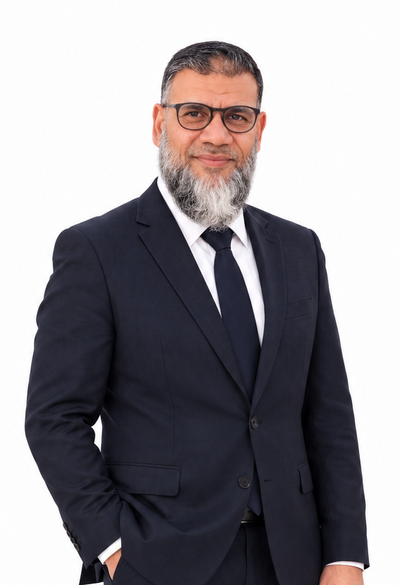
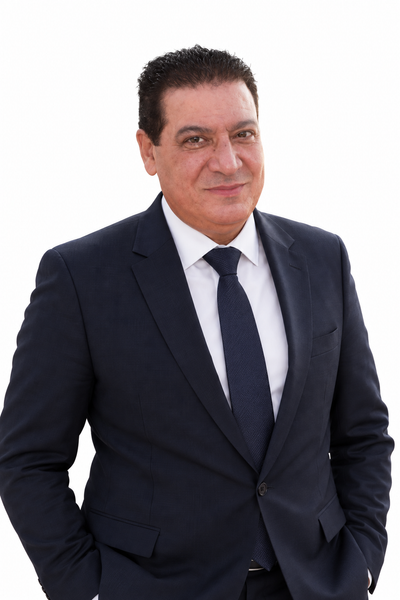
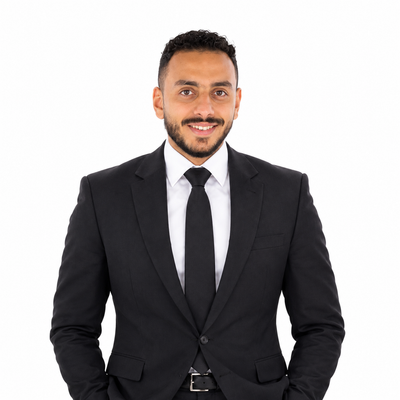
يشارك Boh AI في مؤتمر Connect العالمي في مدينة سان فرانسيسكو بالولايات المتحدة الأمريكية، في الفترة من 19 إلى 21 أكتوبر 2026، بدعوة للحضور إلى جانب نخبة من شركات الذكاء الاصطناعي ومؤسسيها حول العالم، من بينهم مؤسسو OpenAI و Discord و Runway وغيرهم.
Boh AI will take part in the global Connect conference in San Francisco, United States, from October 19 to 21, 2026, by invitation, alongside an elite group of AI companies and their founders from around the world — among them the founders of OpenAI, Discord and Runway, and others.



منصة واحدة من الفكرة إلى التنفيذOne platform from idea to execution
تجمع Boh AI كل ما يحتاجه المعماري في مساحة عمل واحدة: تبدأ بفكرة، وتحوّلها إلى ريندر احترافي، ثم إلى مقايسة بالتكلفة، وتتابع التنفيذ والتكاليف، وتترك لوكيل ذكي مهمة الرسم والتعديل في ملفاتك الحقيقية.
Boh AI brings everything an architect needs into one workspace: start from an idea, turn it into a professional render, then a priced BOQ, follow execution and costs, and leave the drawing and editing in your real files to a smart agent.
تخصص معماري
Architecture-specific
كل موديل مصمّم لمهمة معمارية محددة، وليس أداة عامة تحاول تخمين مجالك.
Every model is built for a specific architectural task, not a generic tool guessing your field.
من الفكرة للتنفيذ
Idea to execution
الموديلات يكمّل بعضها بعضاً: ناتج كل موديل يصبح مدخلاً للذي يليه.
Models complement each other: one output becomes the input of the next.
سعر واضح قبل التنفيذ
Clear price upfront
لكل عملية تكلفة بالنقاط معروفة قبل أن تبدأ، دون رسوم مخفية.
Every action has a known points cost before you start, with no hidden fees.
ماذا ستجد، وأين؟What you will find, and where
ينقسم الموقع إلى منطقتين: الصفحة الرئيسية التعريفية، ومساحة العمل التي تعمل فيها بعد تسجيل الدخول.
The site has two zones: the public home page, and the workspace where you work after signing in.
الصفحة الرئيسية
Home page
تعريف سريع، استوديو تفاعلي بيوريك الإمكانيات (ريندر، فيديو، مقايسة، خامات)، وأرقام المنصة.
A quick intro, an interactive studio showing what it can do (render, video, BOQ, materials), and platform stats.
افتح الصفحة الرئيسية ←Open the home page →التدريب المجاني
Free training
دليل مبسّط لكل موديل: إيه بيعمل، إزاي تستخدمه خطوة بخطوة، نصايح، ومثال وتكلفته.
A simple guide for every model: what it does, step-by-step use, tips, an example and its cost.
الباقات والأسعار
Plans & pricing
باقات الأفراد (Go / Plus / Pro) والشركات (X1 / X2 / Special One)، وجداول استهلاك النقاط وأسعار Boh Agent.
Individual plans (Go / Plus / Pro) and company plans (X1 / X2 / Special One), points usage tables and Boh Agent pricing.
ملخص الباقات ←Plans summary →تسجيل الدخول والتجربة المجانية
Sign in & free trial
تجربة مجانية بإيميلك (محاولات يومية)، أو دخول بحساب باقتك.
A free trial with your email (daily attempts), or sign in with your plan account.
مساحة العمل
The workspace
قائمة جانبية بكل الموديلات في مجموعات، شاشة محادثة، بحث سريع (Ctrl+K)، وكروت بداية بأسعارها.
A sidebar with every model in groups, a chat screen, quick search (Ctrl+K), and starter cards with prices.
الأرشيف
Archive
مراجعة سريعة لآخر نتايجك داخل الجلسة (حمّل نسخة عالية الجودة بعد كل ريندر).
Quick review of your latest results within the session (download a high-quality copy after every render).
المكتبة المعمارية
Architectural library
بلوكات وخامات ومشاهد جاهزة — هدية مع الباقات.
Blocks, materials and ready scenes — a gift with the plans.
معاينة المكتبة ←Preview the library →الدبلومة والكورسات
Diploma & courses
دبلومة المهندس محمد عين هدية مع باقات Pro و X1 و X2.
Eng. Mohamed Ain's diploma is a gift with the Pro, X1 and X2 plans.
تفاصيل الدبلومة ←Diploma details →الدعم والدفع
Support & payment
الدفع بالكارت (فيزا / أبل باي) أو إنستاباي ومحافظ وتحويل بنكي وباي بال، والدعم عبر واتساب.
Pay by card (Visa / Apple Pay) or InstaPay, wallets, bank transfer and PayPal; support through WhatsApp.
كلّمنا على واتساب ←Chat on WhatsApp →داخل مساحة العمل — مجموعات الموديلات
Inside the workspace — model groups
موديلات Boh AIBoh AI models
التكلفة بالنقاط (تقريبية، وتظهر قبل التنفيذ داخل الموقع). وتجد الأرقام الأحدث دائماً في صفحة الباقات.
Costs are in points (approximate; the exact cost shows before you run anything). The latest numbers are always on the plans page.
المحادثة والكتابةChat & writing
اسأل في أسس التصميم والتنفيذ والتشطيبات والتسعير، قارن بين خامات وبنود، واحل مشاكل الموقع بحلول قابلة للتنفيذ.
Ask about design and execution basics, finishes and pricing, compare materials and items, and solve site problems with buildable answers.
2 – 3 ptsحوّل وصفك البسيط لبرومبت معماري كامل (فراغ، خامات، إضاءة، أسلوب) يطلّع أفضل نتيجة في أدوات الريندر.
Turn a simple description into a full architectural prompt (space, materials, lighting, style) for the best render results.
4 ptsالتوليد والريندرGenerate & render
اوصف مشهد داخلي أو خارجي والنموذج يولّده كامل: الفراغ والخامات والإضاءة والأسلوب.
Describe an interior or exterior scene and get it fully generated: space, materials, lighting and style.
12 ptsيحسّن ريندر جاهز (مواد وإضاءة وواقعية) من غير ما يغيّر التصميم المعماري.
Upgrades an existing render (materials, lighting, realism) without changing the architectural design.
18 – 35 ptsأقوى موديل في المنظومة: تحكم في الدقة (1K / 2K / 4K) ونسبة العرض ومحرك الجودة (فوتورياليستي / دقة معمارية / سينمائي).
The strongest model: control resolution (1K / 2K / 4K), aspect ratio and quality engine (photoreal / architectural accuracy / cinematic).
26 – 45 ptsغيّر الأرضية أو الألوان أو الإضاءة، وأضف أو شيل عناصر بسيطة في صورة مشهدك.
Change floors, colors or lighting, and add or remove simple elements in your scene image.
12 ptsحوّل أي مشهد من نهار لليل أو العكس مع الحفاظ على التصميم.
Turn any scene from day to night or the reverse, keeping the design intact.
حوّل أي صورة لسكتش رصاص مع الحفاظ على المشهد كما هو.
Turn any image into a pencil sketch while keeping the scene as is.
ارفع البلان وهيتلوّن الفرش والأرضيات بدون ما تتغيّر التقسيمات أو الفراغات.
Upload the plan and furniture and floors get colored, with no change to the layout or spaces.
ارفع صورة التصميم واحصل على مود بورد معماري احترافي بضغطة واحدة.
Upload a design image and get a professional architectural mood board in one click.
رفع الجودة حتى 8K (مجاناً لما رصيدك يزيد عن 500 نقطة) وإزالة العلامة المائية لأدوات توليد الصور مع الحفاظ على التصميم.
Upscale up to 8K (free when your balance is above 500 points) and remove AI-generator watermarks while keeping the design.
أدوات معماريةArchitectural tools
اوصف مطبخك أو ارفع صورة وعلّم على التعديلات المطلوبة (خامات وألوان وتوزيع).
Describe your kitchen or upload a photo and mark the changes you want (materials, colors, layout).
استخرج الخامات من أي مشهد كعينات نظيفة، أو مع سياق المشهد.
Extract the materials from any scene as clean samples, or with scene context.
ارفع لوحاتك وملاحظاتك واحصل على Banner تقديمي احترافي مرتّب.
Upload your sheets and notes and get a neat, professional presentation banner.
مقايسة وتوثيق ومتابعةBOQ, documentation & follow-up
استبيان بسيط من 3 خطوات يطلّع مقايسة بنود وكميات وأسعار حسب بلدك وجودة التشطيب. تصدير PDF بصفحات A4 وExcel بمعادلات حيّة، وتعديل بالنص أو بالبيانات.
A simple 3-step questionnaire produces a BOQ with items, quantities and prices for your country and finish quality. Export PDF (A4 pages) and Excel with live formulas, and edit by text or by data.
15 ptsضبط تكاليف المشروع بحسابات EVM (SPI / CPI / EAC)، منحنى S، تدفق نقدي، تحليل مخاطر (مونت كارلو) وسيناريوهات، وتقارير جاهزة PDF و Excel.
Project cost control with EVM (SPI / CPI / EAC), S-curve, cash flow, Monte Carlo risk analysis and what-if scenarios, with ready PDF and Excel reports.
يكتشف مشاكل التنفيذ في تصميمك قبل ما الشغل يبدأ، ويقترح ترتيب العمل ويتوقع طلبات العميل بعد أول مراجعة.
Finds execution problems in your design before work starts, suggests work order and predicts the client's requests after the first review.
15 pts + 3 free follow-upsاختار شخصية العميل (مستثمر، أسرة، فندق…) والذكاء ينتقد تصميمك من منظوره، وبعدها اطلب خطة «خلّي العميل سعيد».
Pick the client persona (investor, family, hotel…) and the AI critiques your design from their view, then ask for a "make the client happy" plan.
الفيديو و Visual StudioVideo & Visual Studio
حوّل صورة (أو صورتين: بداية ونهاية) لفيديو بحركة كاميرا: تقدّم، دوران، جولة داخلية، نهار لغروب. النقاط بتتحجز عند البدء وبترجع لو فشل.
Turn an image (or two: start and end) into video with camera moves: push-in, orbit, interior walk, day to sunset. Points are reserved at start and returned if it fails.
لوحة عقد (Node canvas) توصّل الموديلات ببعض: صورة ← برومبت ← ريندر ← فيديو، تشغّلها دفعة واحدة، وتحفظها كقالب وتعيد استخدامها.
A node canvas to chain models: image → prompt → render → video. Run it all at once, save it as a template and reuse it.
وكيل يرسم ويبني ويعدّل جوّه 3ds Max و AutoCAD و SketchUp — شرحه بالتفصيل في القسم التالي.
An agent that draws, builds and edits inside 3ds Max, AutoCAD and SketchUp — detailed in the next section.
Tokensوكيل ذكي يعمل داخل برامجكA smart agent that works inside your software
تمنحك أغلب أدوات الذكاء الاصطناعي صورة أو نصاً، أما Boh Agent فيمنحك عملاً حقيقياً داخل ملفك: حوائط وغرف وأبواب وفرشاً وأبعاداً ولوحات، تُفتح وتُعدَّل في 3ds Max و AutoCAD و SketchUp.
Most AI tools give you an image or text. Boh Agent gives you real work in your file: walls, rooms, doors, furniture, dimensions and sheets that open and edit in 3ds Max, AutoCAD and SketchUp.
- تكتب طلبك بالعربي أو الإنجليزيYou write your request in Arabic or Englishمثلاً: «ارسم مسقط شقة 120 م² بغرفتين وريسبشن» أو «شوب دروينج لمطبخ L».e.g. "Draw a 120 m² flat plan with two bedrooms and a reception" or "shop drawing for an L kitchen".
- يفهم ويقسّم المشروع لمراحلIt understands and splits the project into stagesمواصفات رقمية بدون رسم ← هيكل ← فتحات ← فرش وتفاصيل ← أبعاد وكتابات ← مراجعة نهائية.numeric spec (no drawing) → structure → openings → furniture & details → dimensions & text → final check.
- برنامج الربط ينفّذ داخل البرنامجThe connector executes inside the softwareأوامر محددة ومتحقق منها (مش كود حر)، وإنت بتشوف الرسم بيتكوّن أمامك.Defined, validated commands (never free code) — and you watch the drawing form in front of you.
- يراجع ويصلّح بنفسهIt reviews and fixes itselfلو أمر فشل بيقرا السبب ويصلّح، وفي الآخر بيقارن الشغل بالمواصفات.If a command fails it reads the reason and fixes it, and at the end compares the work with the spec.
3ds Max
غرف، حوائط، أرضيات، أبواب وشبابيك، سلالم، أثاث، خامات، إضاءة وكاميرات — بحجوم معمارية جاهزة للتفاصيل.
Rooms, walls, floors, doors and windows, stairs, furniture, materials, lights and cameras — as architectural masses ready for detailing.
AutoCAD
ثلاث أوضاع: تصميم جديد، تعديل على رسمك، وشوب دروينج للورشة بمساقط وقطاعات وأبعاد وجدول قطع.
Three modes: new design, edit your drawing, and workshop shop drawings with views, sections, dimensions and a cut list.
SketchUp
مجسمات 3D بسرعة: غرف وحوائط وأبواب وفرش، وكتل بأي شكل مضلّع (L / Y / V) بالـ Push/Pull، وكاميرات كمشاهد (Scenes) وظل للشمس.
Fast 3D models: rooms, walls, doors and furniture, masses of any polygon shape (L / Y / V) by push/pull, cameras as Scenes and sun shadows.
يتطلب Windows و 3ds Max 2021 أو أحدث، أو AutoCAD الكامل 2015 أو أحدث (مش LT)، أو SketchUp 2021 أو أحدث (ويندوز أو ماك)، أو Revit 2027 (ويندوز).
Requires Windows and 3ds Max 2021+, or full AutoCAD 2015+ (not LT), or SketchUp 2021+ (Windows or Mac), or Revit 2027 (Windows).
لماذا تختار Boh AI؟Why choose Boh AI?
مدرّب على الشغل المعماري
Built for architecture
كل أداة معرّفة بمهمتها: حافظ على التصميم، التزم بالمقاسات، وافهم مصطلحات التنفيذ.
Each tool knows its job: preserve the design, respect dimensions, understand execution terms.
عربي حقيقي
Truly Arabic
واجهة RTL كاملة وأوامر ونتايج ونصوص على الرسومات بالعربي.
Full RTL interface, with prompts, results and drawing text in Arabic.
مكان واحد بدل ١٠ أدوات
One place, not ten tools
من الفكرة للمقايسة والتكاليف والمتابعة من غير ما تنتقل بين مواقع.
From idea to BOQ, costs and follow-up without hopping between sites.
يشتغل في ملفاتك الحقيقية
Works in your real files
Boh Agent بيرسم ويعدّل في 3ds Max و AutoCAD و SketchUp مش مجرد صور.
Boh Agent draws and edits in 3ds Max, AutoCAD and SketchUp — not just pictures.
مقايسة وتكاليف قابلة للتسليم
Deliverable BOQ & costs
PDF جاهز للعميل و Excel بمعادلات حيّة وتقارير EVM.
Client-ready PDF, Excel with live formulas and EVM reports.
سعر معروف وعادل
Known, fair pricing
نقاط بتدفع منها على الاستخدام الفعلي؛ ولو العملية فشلت النقاط بترجع.
Points you spend on real usage; if an action fails, the points return.
هدايا مع الاشتراك
Gifts with your plan
المكتبة المعمارية (بلوكات وخامات ومشاهد)، ودبلومة المهندس محمد عين مع Pro و X1 و X2.
The architectural library (blocks, materials, scenes), and Eng. Mohamed Ain's diploma with Pro, X1 and X2.
تدريب مجاني
Free training
دليل لكل موديل بخطوات وأمثلة، تبدأ بيه من غير اشتراك.
A guide for every model with steps and examples — start without a subscription.
الفرق بيننا وبين غيرناHow we differ from the alternatives
مقارنة عامة بين فئات الأدوات التي يستخدمها المعماري عادةً، دون الإشارة إلى منتجات بعينها.
A general comparison between the categories of tools architects usually use — not between specific products.
| Boh AI | أدوات الذكاء الاصطناعي العامة (شات / صور)General AI tools (chat / images) |
برامج الريندر والتصميم التقليديةTraditional render & design software | الشغل اليدوي أو الاستعانة بمكتبManual work or outsourcing | |
|---|---|---|---|---|
| متخصص في المجال المعماريSpecialized in architecture | ✓ | ◐عام لكل المجالاتgeneral-purpose | ◐للإخراج فقطvisuals only | ✓ |
| عربي كامل (واجهة وأوامر ونتايج)Full Arabic (interface, prompts, results) | ✓ | ◐بيفهم عربي، واجهته غالباً لاunderstands Arabic, interface often not | ✕غالباً إنجليزيmostly English | ✓ |
| من الفكرة للمقايسة والتكاليف في مكان واحدIdea → BOQ → costs in one place | ✓ | ✕ | ✕ | ✕أدوات متفرقةseparate tools |
| يرسم ويعدّل داخل 3ds Max و AutoCAD و SketchUpDraws & edits inside 3ds Max, AutoCAD and SketchUp | ✓ | ✕ | ✕ | ✓يدويby hand |
| مقايسة جاهزة PDF / ExcelReady PDF / Excel BOQ | ✓ | ◐نص يحتاج تنسيقtext that needs formatting | ✕ | ◐إكسل يدويmanual spreadsheet |
| متابعة التكلفة (EVM + مخاطر)Cost tracking (EVM + risk) | ✓ | ✕ | ✕ | ◐ |
| ريندر يحافظ على التصميم الأصليRenders that preserve the original design | ✓ | ◐قد يغيّر التفاصيلmay alter details | ✓ | ✓ |
| الوقت للنتيجة الأولىTime to first result | ≈ دقائقminutes | دقائقminutes | ساعاتhours | أيامdays |
| مكتبة بلوكات وخامات جاهزةReady blocks & materials library | ✓هدية مع الباقاتgift with plans | ✕ | ◐حسب البرنامجdepends on the software | ◐ |
| تكلفة العملية معروفة قبل التنفيذKnown cost before running | ✓بالنقاطin points | ◐اشتراك شهري ثابتfixed monthly plan | ◐ترخيص / اشتراكlicense / subscription | ◐حسب الاتفاقper agreement |
| تدريب مجاني على الأدواتFree training on the tools | ✓ | ◐ | ◐ | ✕ |
✓ متاح · ◐ جزئي أو يعتمد على الأداة · ✕ غير متاح عادةً. المقارنة عامة وتعبّر عن الحالة الشائعة لكل فئة وقد تختلف من منتج لآخر.
✓ available · ◐ partial or depends on the tool · ✕ usually not available. The comparison is general and reflects the common case for each category; individual products may differ.
لمن صُمّم Boh AI؟Who is Boh AI for?
طلاب العمارة
Architecture students
ريندرات ومود بورد وبانر مشروع التخرج، وتعلّم من دليل التدريب المجاني.
Renders, mood boards and graduation banners, plus learning from the free training guides.
المعماريون الفريلانسرز
Freelance architects
اعرض الفكرة بسرعة، وسلّم مقايسة احترافية، وخلّص الرسم بمساعدة الوكيل.
Present ideas fast, deliver a professional BOQ, and finish drawings with the agent's help.
المكاتب والشركات
Offices & companies
باقات X1 و X2 بنقاط أكتر، وSpecial One لنظام SaaS مخصص لشركتك.
X1 and X2 plans with more points, and Special One for a custom SaaS for your company.
المقاولون ومهندسو الموقع
Contractors & site engineers
مقايسات سريعة، رادار تنفيذ، وضبط تكاليف بـ EVM.
Quick BOQs, an execution radar and EVM cost control.
المصممون الداخليون
Interior designers
تصميم مطابخ، استخراج خامات، تعديل مشاهد، وتحويل نهار لليل.
Kitchen design, materials extraction, scene edits and day-to-night.
صنّاع المحتوى المعماري
Architecture content creators
فيديوهات معمارية وصور بجودة 8K للسوشيال والعروض.
Architectural videos and 8K images for social media and presentations.
اشتراك واحد، ونقاط تستخدمها كما تشاءOne subscription, points you spend your way
تمنحك كل باقة رصيداً شهرياً من نقاط الذكاء الاصطناعي تستخدمه في أي موديل، وتوكنز Boh Agent كل شهر. الاشتراك السنوي بسعر 10 شهور. التفاصيل الكاملة في صفحة الأسعار.
Every plan gives you a monthly AI points balance you can spend on any model, plus Boh Agent tokens every month. The yearly plan costs 10 months. Full details are on the pricing page.
Go
Plus
Pro
أسئلة شائعةFrequently asked questions
محتاج خبرة في الذكاء الاصطناعي علشان أستخدمه؟Do I need AI experience to use it?
لأ. كل موديل ليه دليل تدريب مجاني بخطوات وأمثلة، وتقدر تكتب بالعربي العادي.
No. Every model has a free training guide with steps and examples, and you can write in plain Arabic.
إزاي أبدأ؟How do I start?
اضغط «ابدأ مجاناً» وادخل بإيميلك للتجربة المجانية، وجرّب الموديلات المتاحة. لما تحب تفتح كل الموديلات اختار الباقة المناسبة.
Press "Start free" and sign in with your email for the free trial, then try the available models. Pick a plan when you want every model.
إزاي بتتحاسب النقاط؟How are points charged?
لكل عملية تكلفة محددة بالنقاط بتظهر قبل التنفيذ، وبتتخصم بعد نجاح العملية. وبعض العمليات (زي الفيديو) بتتحجز عند البدء وبترجع لو فشلت.
Every action has a set points cost shown before running, charged after it succeeds. Some actions (like video) are reserved at start and returned if they fail.
إيه الفرق بين نقاطي ورصيد التوكنز في Boh Agent؟What's the difference between my points and the Boh Agent token balance?
النقاط للموديلات العادية. Boh Agent ليه رصيد توكنز منفصل بتشتريه من نقاطك (300K / 1M / 5M) وبيفضل في حسابك لحد آخر توكن.
Points are for the regular models. Boh Agent has its own token balance that you buy with your points (300K / 1M / 5M) and it stays in your account to the last token.
Boh Agent يشتغل على أي نسخة من 3ds Max و AutoCAD و SketchUp؟Which 3ds Max, AutoCAD and SketchUp versions does Boh Agent work with?
على ويندوز مع 3ds Max 2021 أو أحدث، أو AutoCAD الكامل 2015 أو أحدث (مش LT)، أو SketchUp 2021 أو أحدث (ويندوز أو ماك). محتاج اتصال إنترنت على الجهاز، وبرنامج الربط بيتحمّل جوّه البرنامج نفسه بخطوات بسيطة موضحة في الموقع.
On Windows with 3ds Max 2021+ or full AutoCAD 2015+ (not LT), or SketchUp 2021+ (Windows or Mac). The PC needs internet access, and the connector loads inside the software itself with simple steps shown on the site.
بيانات الدفع والدعم؟Payment and support?
الدفع بالكارت أو إنستاباي أو المحافظ أو التحويل البنكي أو باي بال، والدعم متاح عبر واتساب.
Pay by card, InstaPay, wallets, bank transfer or PayPal; support is available on WhatsApp.
هل أنت مستعد لتجربة مساحة العمل الذكية؟
Ready to try the smart workspace?
ابدأ مجاناً الآن، واكتشف الموديلات بنفسك.
Start free now and explore the models yourself.
ابدأ مجاناًStart free