Day to Night Render Conversion with AI
Converts a daytime scene into a professional evening/night look while preserving massing and elements.
Who is it for?
Before/after presentations and showing artificial night lighting
How it works — step by step
- Select Day to Night.
- Upload the daytime scene.
- Start conversion from the window.
- Review and save the result.
How to get the best result
Clear daylight photos work best. Already-dark scenes convert less convincingly.
Pro tips
- Excellent for façades, villas, and glazed spaces.
- After conversion, refine interior lights with Edit Scene.
- Use it for time/lighting only — not redesign.
Example
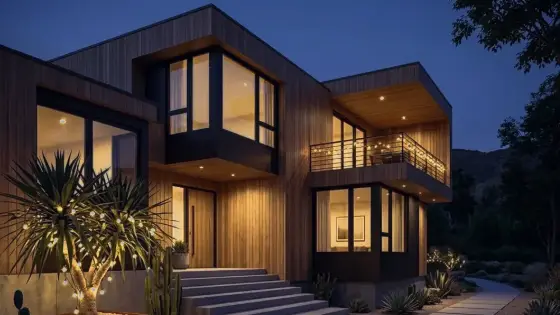
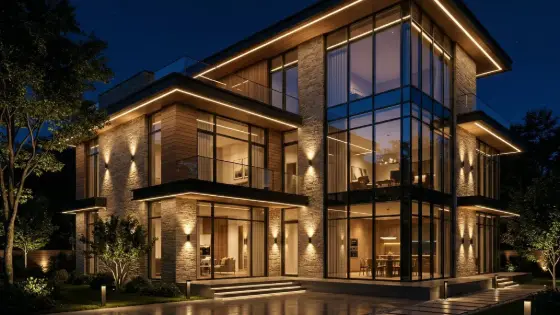
Example: Daytime villa façade → night version with warm façade wash and lit windows.
FAQ
What is "Day to Night Render Conversion with AI" in Boh AI?
Converts a daytime scene into a professional evening/night look while preserving massing and elements.
Who is this tool for?
Before/after presentations and showing artificial night lighting
How do I get the best result?
Clear daylight photos work best. Already-dark scenes convert less convincingly.
Can I try it for free?
Yes. Create a free Boh AI account with your email and get welcome points to try the platform, then pick a plan when you need more. Some advanced tools are available to subscribers only.
Does it support Arabic and English?
Yes. Boh AI is fully bilingual (Arabic & English): interface, guides and results — write your request in either language.
 AI Interior & Exterior Design Editor
 Night to Day Render Conversion with AI
 Render Color & Lighting Studio
 Architectural Render Upscaler
 Watermark Remover for Design Images
 Super Boh — Professional AI Architectural Rendering